
Migrate LambdaTest Real Time, App Live, and Live Interaction Workflows
If your team uses LambdaTest Real Time Testing, App Live, or Live Interaction today, webmate will feel similar during the hands-on part of the session but more structured before and after it. Devices and browser VMs belong to project slots, and the Workbench becomes the shared place for manual execution, observation, and evidence capture.
Concept Mapping
| LambdaTest term | webmate term | What changes |
|---|---|---|
| Real Time browser session | Browser VM in a project slot | Browser choice moves into the deploy step inside a project. |
| App Live session | Mobile device in a device slot | Real devices are still interactive, but the reservation is visible at project level. |
| Live Interaction | Open Workbench during a test or manual session | Observation and debugging happen through the Workbench surface. |
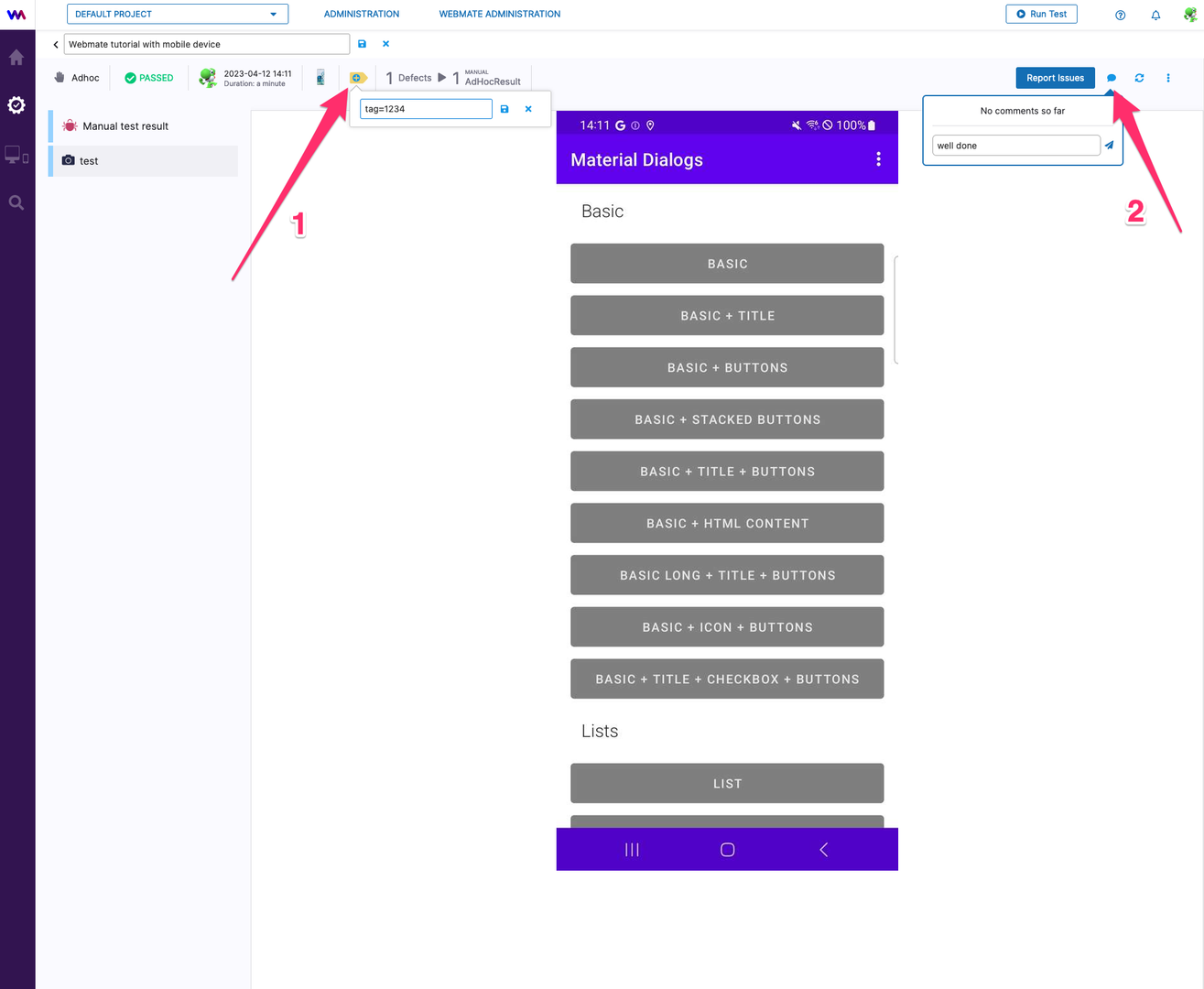
| Session logs and notes | Test run artifacts, findings, and comments | The evidence path is tied to the test run instead of a separate live result view. |
Typical Migration Flow
- Open the webmate project that should host the migrated workflow.
- Deploy the browser VM or mobile device that matches the LambdaTest target.
- Open the Workbench with
Access. - Run the check manually, or watch the session there when you need the equivalent of Live Interaction.
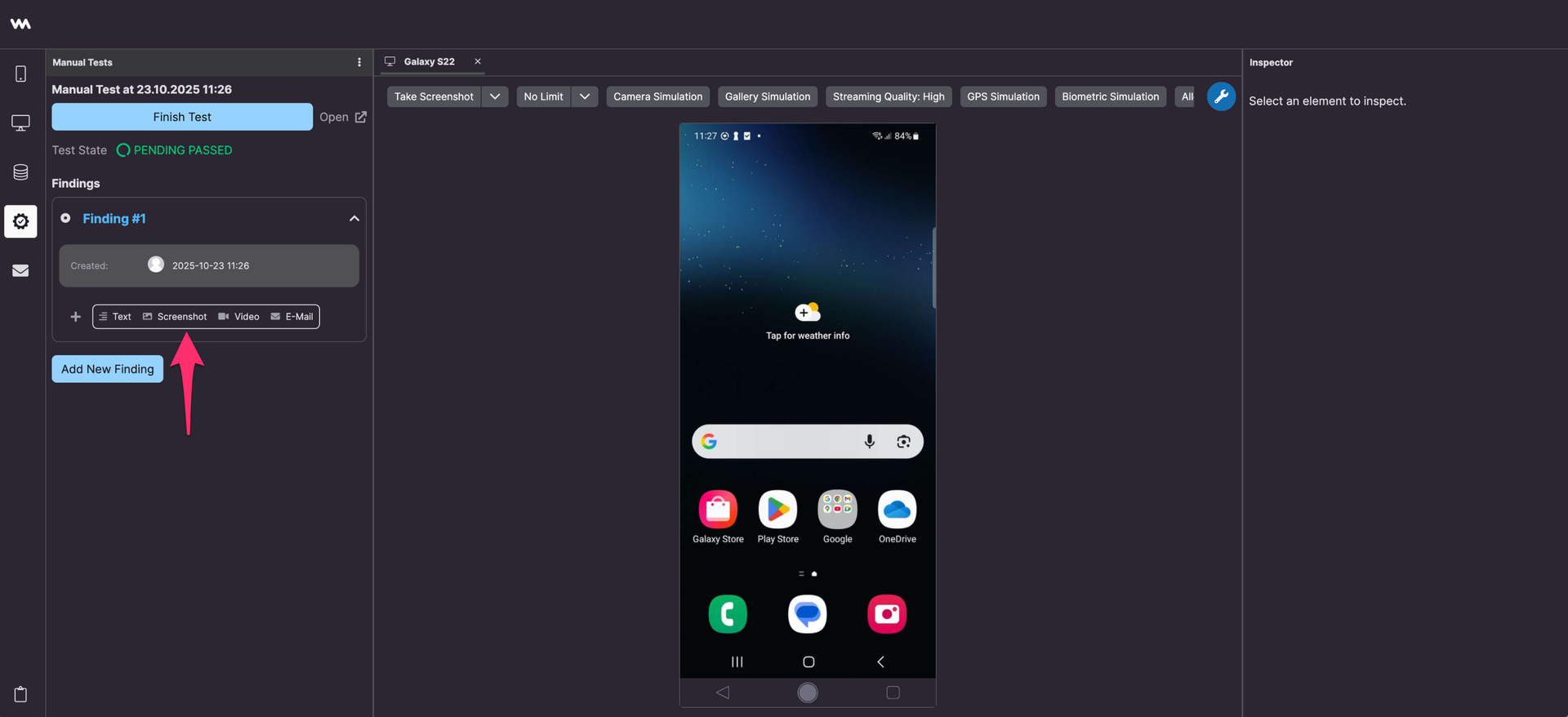
- Capture screenshots and findings inside a manual test run before you release the slot.
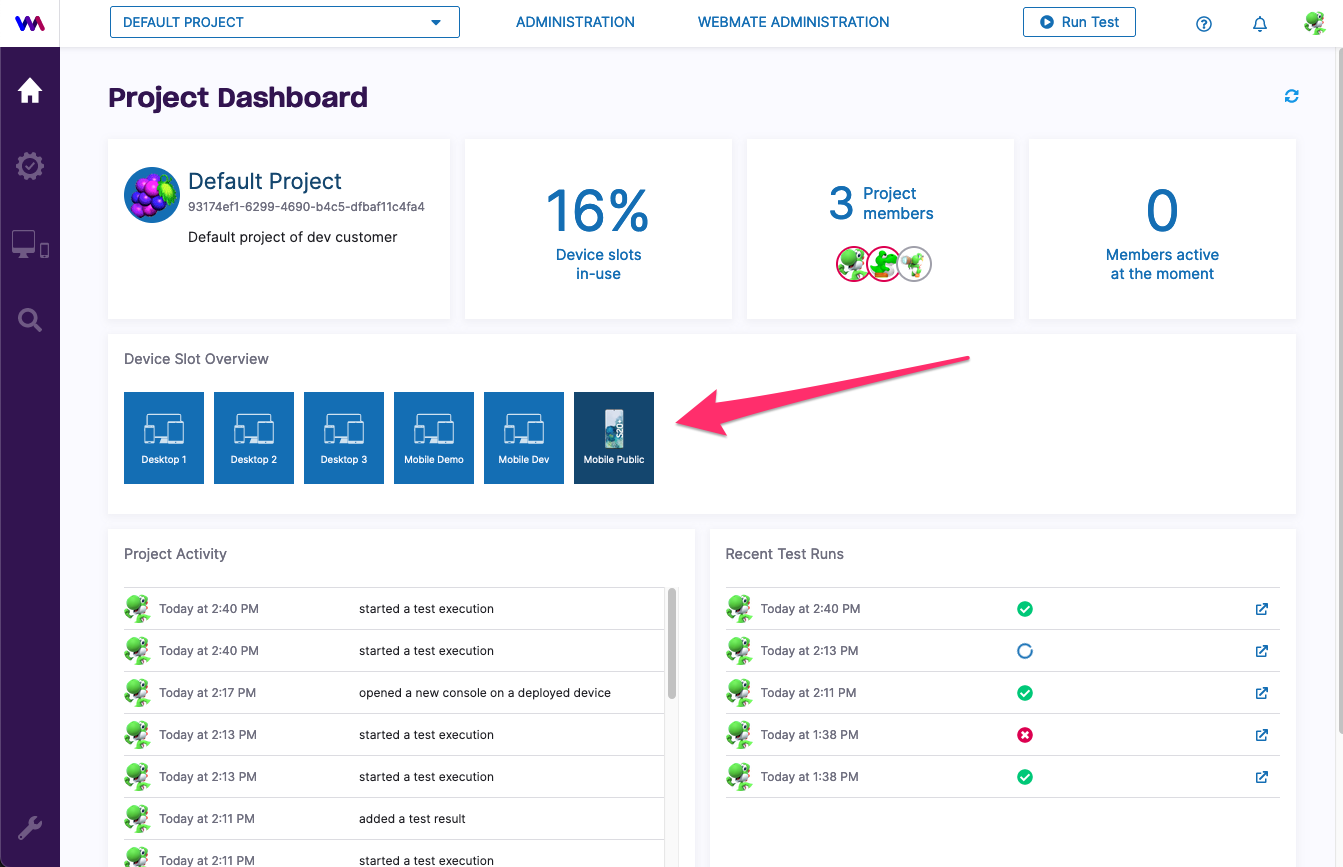
What Changes for Real-Time Teams
- The deploy step is project-aware, so the selected device or browser remains visible to the rest of the team.
- Observation during automation uses the same Workbench that manual testers use.
- Manual evidence capture is part of the result workflow, which makes follow-up review easier.
- Project-level settings such as proxies, DNS, or startup scripts are handled in webmate administration rather than hidden inside a live-session launcher.
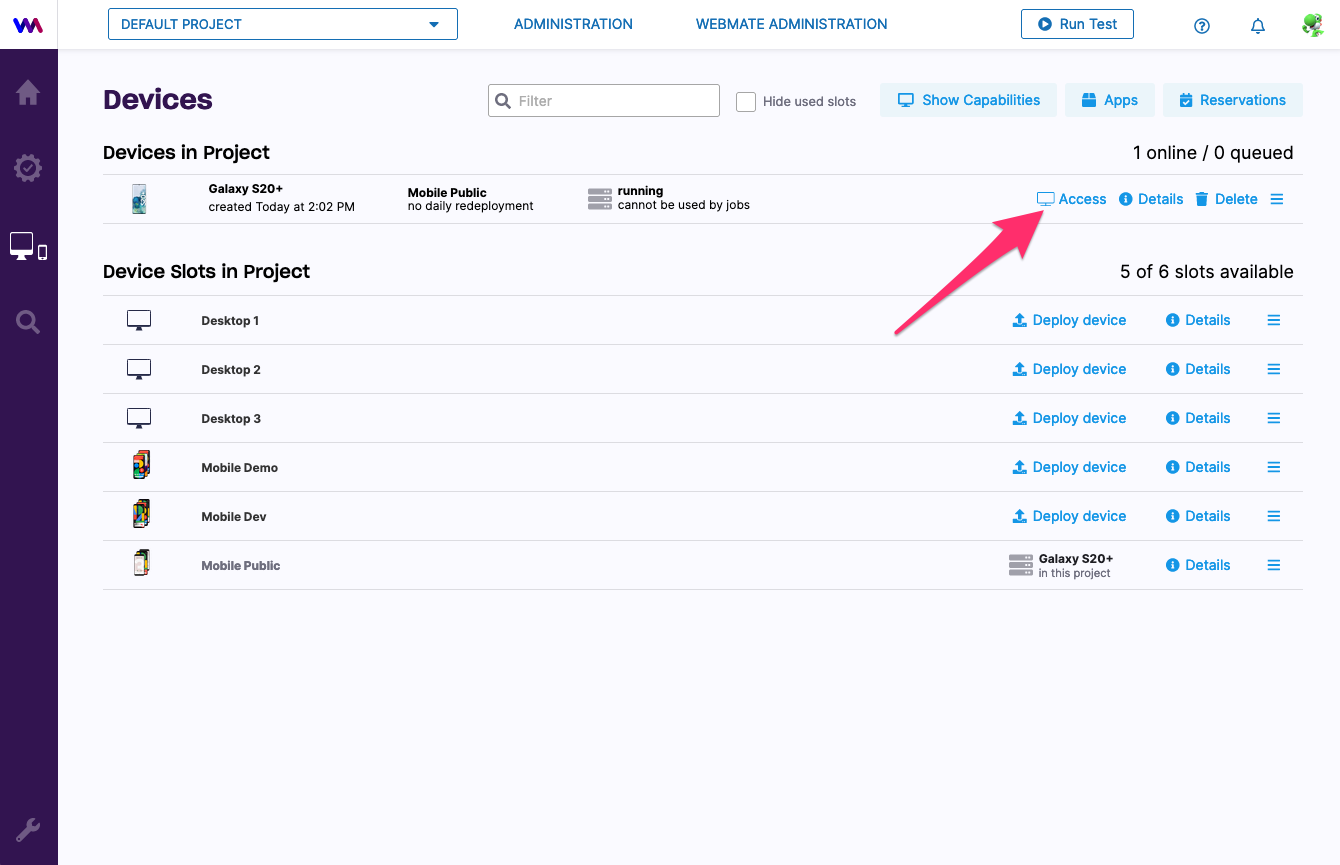
Recording Evidence Instead of Recreating It Later
Teams coming from LambdaTest often keep screenshots and notes in chat threads or ticket attachments after the live session. In webmate, create a manual test run when the session matters and keep the screenshots and findings inside the same result entry.
Next Steps
- For manual web checks, continue with Testing a Web Application .
- For manual app checks, continue with Testing a Mobile App .
- For observation and tooling, see webmate Workbench and Create a Test Run .